What is Sume? Creative tools, prepaid usage and the 5% invitation coupon
Key Takeaway
If you want image creation, short video generation and captions in one place, Sume is worth a look.
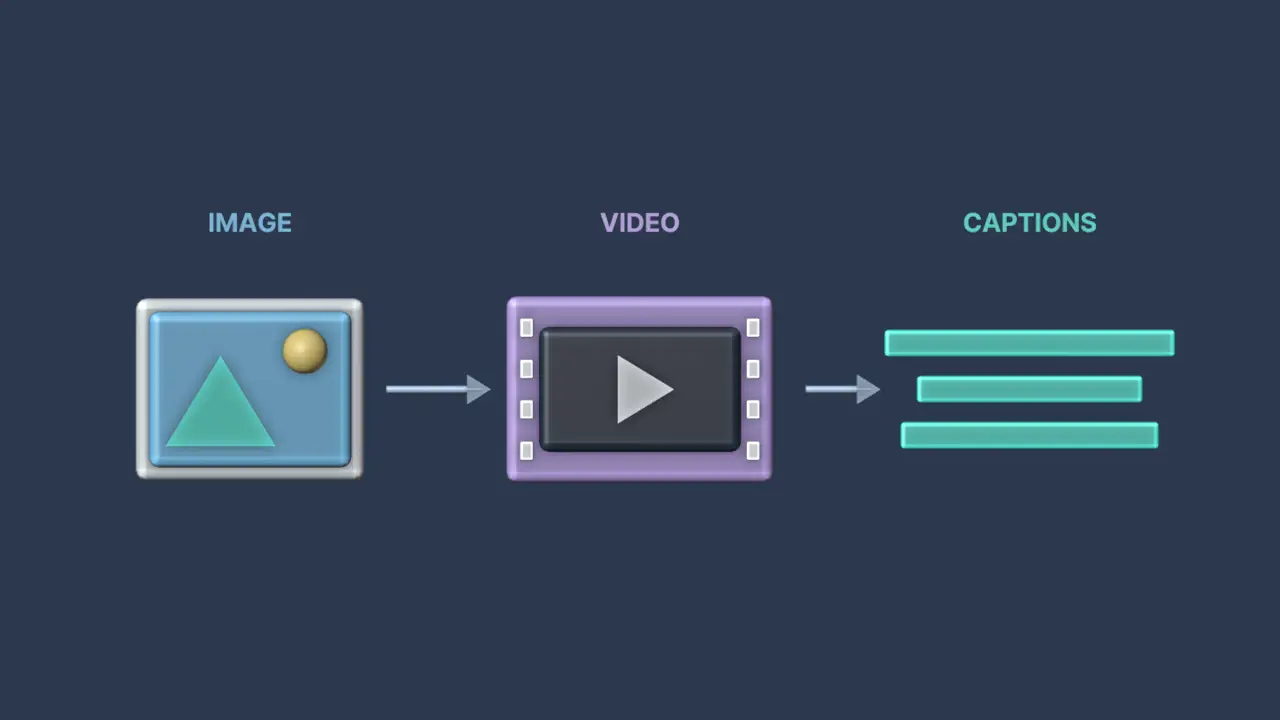
It brings multiple AI creative tools and models together. But a long feature menu doesn’t tell you whether it suits your project, so start with the result you need and how usage is charged.
This guide is based on official Sume pages, Terms and invitation screens checked on November 4, 2026. The links below display a 5% discount coupon. Check the eligible purchase, expiry and stacking rules in your own coupon and checkout screens. The invitation screen alone doesn’t tell you what reward, if any, the inviter receives.
Invitation links to check first
What does Sume bring together?
The Terms describe Sume as an AI creative platform for marketing teams and developers. The official interface lists image, video, audio and music creation, talking avatars, captions, face swapping, lip sync and dubbing. Remix, presented as a way to change a subject or style while retaining motion, is prominent too.
For design work, decide on the job before you pick a tool. The examples below pair the published features with practical questions to look into.
| Intended result | Feature to explore | Conditions to settle first |
|---|---|---|
| A product or social image concept | Image generation and editing | Product shape, aspect ratio, essential text and colors |
| A short clip based on an image | Video generation and editing | Duration, motion and output resolution |
| A different subject or style in an existing clip | Remix | Rights to the source and what should change or stay the same |
| Readable explanations on finished footage | Captions | Language, errors, reading time and safe placement |
| A repeated production workflow | Formats, agents or API | Input and output requirements, permissions and spend approval |
Use these planning examples to choose a feature for a specific output. Check model availability, options, pricing and concurrency in the account that will perform the work.
Compare one small task before expanding it
Pick one useful output before making a long video or many variants. For a vertical product introduction, say, define a source image, one short movement and a few sentences the viewer should understand.
Compare the image with the original product shape and brand colors. In video, check continuity and whether the motion matches the brief. Review captions at phone size; text that reads fine on a large monitor may not fit a small screen. Small package labels and exact logos need comparing with the source before approval.
For Remix, write down which motion should stay and which subject or style should change. Check permission and consent before using another person’s video, photograph, face or voice. A publicly displayed example doesn’t by itself grant the right to reuse its source material in a published project.
Zero markup and generation costs are separate questions
Official pages advertise zero markup and subscription-free access for certain features. That doesn’t mean the whole service offers free, unlimited generation. The Terms separately describe free and recurring paid plans, prepaid generation and agent allotments, and concurrency limits.
Media generation and agent work draw from their own balances. Work may be declined when a balance runs out, and additional prepaid credits may be offered. Don’t go by one displayed headline price. Compare the expected usage for the same duration, resolution and mode, together with the final purchase conditions.
The Terms generally restrict refunds of fees and consumed credits, subject to legal requirements or Sume’s stated exceptions. Before unattended agent work, review whether each generation needs approval, whether automatic approval has a threshold, or whether spending can proceed without approval. An estimate before execution may differ from actual usage.
More invitation links
A displayed discount doesn’t mean every subscription, top-up or model use gets the same treatment. Open the coupon in the account that will use it, then check the eligible purchase and final price before checkout.
Invitation discounts and affiliate commissions are different
All eight distinct invitation URLs supplied for this guide displayed a 5% discount coupon on the official site. Some showed an option to receive the coupon. Links created by the currently signed-in account showed that the sender can’t claim or use their own invitation coupon. So the next screen can depend on account state.
Sume also has a separate affiliate page, and its 5% is a cash commission on eligible referred purchases. Don’t add that commission to the invitation discount, and don’t assume that opening an invitation URL pays out cash.
| Offer | What the checked page describes | Conditions to verify separately |
|---|---|---|
| Invitation links in this guide | A 5% discount coupon displayed to the invitee | Eligible purchase, expiry, minimum purchase, stacking and account eligibility |
| Separate affiliate program | A cash commission on eligible referred purchases | Enrollment, attribution, review and payout rules |
Conditions not shown on the invitation screen aren’t established here. Opening several URLs doesn’t prove that coupons accumulate or stack. Check which coupon is applied at checkout, including any coupon already in the account.
Check usage rights for business outputs
Section 7 of Sume’s Terms says paid plans include commercial use as described on the pricing page. For business or saleable outputs, check the rights provided by your plan and the selected model. Review an event ticket’s usage allowance and the resulting media’s commercial-use rights separately under the relevant event and plan conditions.
Check ticket quantities and deadlines in your account
The homepage also features Sume × HeyGen Video 1. The Terms say promotional tickets may be granted, have no cash value, can’t be transferred, sold or refunded, and may stop working or be removed when a promotion ends or its budget runs out.
Tickets in one signed-in account’s gift box don’t establish the same free generation quantity, resolution or period for every new user. Check the actual eligible tool, remaining quantity and deadline in your own account. And treat invitation discount coupons and generation tickets as separate benefits.
A useful order for checking the service
- Find the official feature and model that match the result you need.
- Compare expected usage at the same duration, resolution and mode against your balance and limits.
- Open an invitation in the account that will use it and check its eligible purchase and expiry.
- Before payment, check the final amount, renewal terms and spend approval settings.
- Start with a small result, inspect shape, motion, captions and rights, then decide whether to expand the workflow.
Sume’s potential convenience lies in the range of creative and repeatable production features you can explore together. Choose by the result you need and comparable costs, not by the number of menu items or the discount percentage alone.
Final invitation links and official information
See Sume’s official site for features and the Terms for billing, credit and promotion conditions. Read the Privacy Policy for how account information and uploaded material are handled, and the separate affiliate page for cash commission rules.
Frequently Asked Questions
Does Sume only create images and videos?
Its official interface also lists audio, music, captions, Remix, talking avatars and other tools. Check availability, options and costs in your own account.
Does the 5% invitation offer pay me cash?
The invitation screens linked here describe a 5% discount coupon. That’s different from the cash commission in the separate affiliate program.
Can I stack several invitation coupons?
The invitation screens don’t establish stacking or cumulative discounts. Check the coupon and checkout conditions in the account that will use it.
Does zero markup mean every generation is free?
No. The Terms describe free and paid plans, prepaid generation and agent allotments, and additional credits where available.
Sources & Verification Date
- Sume official creative tools and Explore page · Verified
- Sume Terms of Service, updated August 10, 2026 · Verified
- Sume Privacy Policy · Verified
- Sume separate affiliate program · Verified
- Sume official invitation coupon screen · Verified